

Integrations
Connect Shopify, WooCommerce, Google and more from Connect Account, automate store messages in Commerce → Store Automation, and use HTTP API, webhook workflows, email and SMS.
Integrations let Wably share data with the tools you already use. There are two places to know:
- Connect Account — link an outside account (Google, Shopify, WooCommerce, Salla, plus your messaging channels).
- Chatbot Manager → your number — use it: Commerce, Integrations and Automation → Webhook Workflows / Outbound Actions.
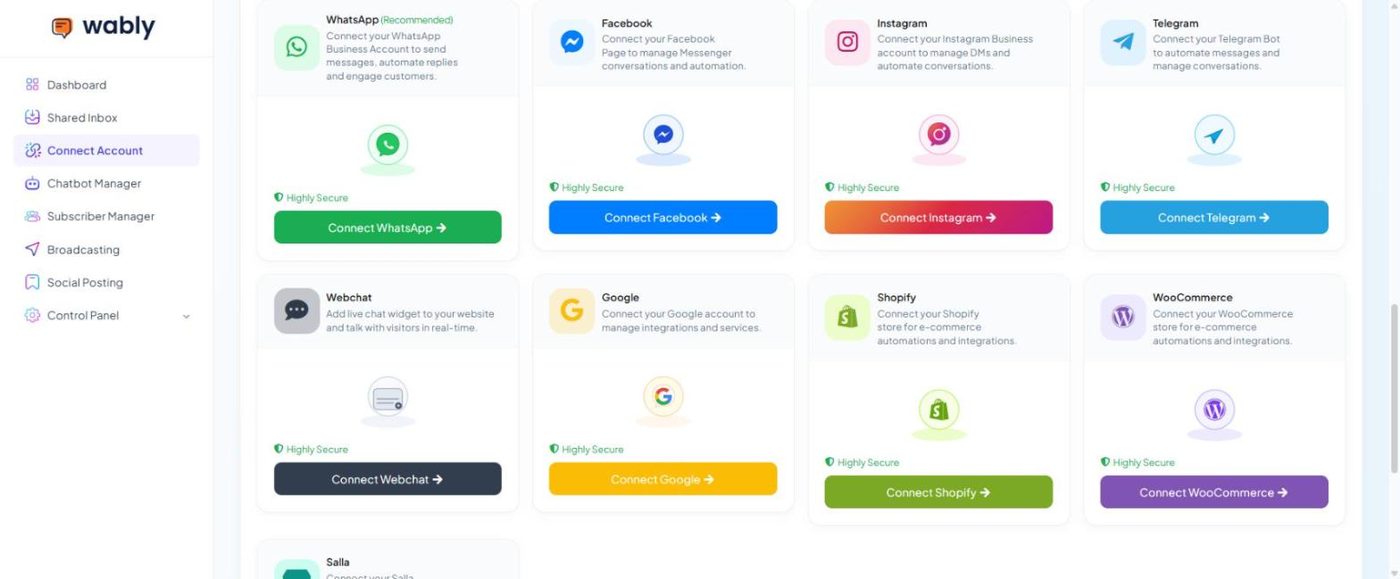
Shopify & WooCommerce#
- Connect Account → Connect Shopify (or Connect WooCommerce / Connect Salla) and approve access to your store.
- Open Chatbot Manager → your number → Commerce → Store Automation and click Create.
- Choose the store and the event — for example order notification (placed, fulfilled/shipped), abandoned checkout or cancellation.
- Pick an approved utility template and map variables (name, order number, tracking link).
- Turn the campaign on. The list shows processed, delivered and failed counts for each campaign.
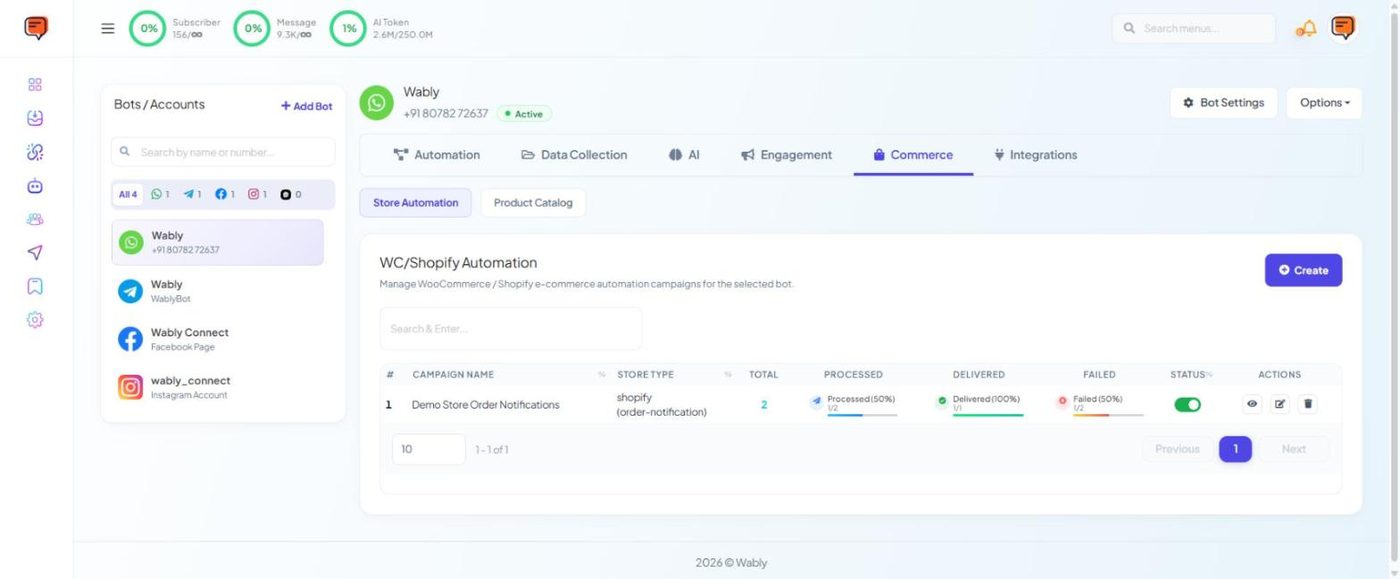
Commerce → Product Catalog connects your WhatsApp product catalog so customers can browse and order inside the chat.
Abandoned-cart reminders sent within an hour or two recover far more sales than ones sent the next day.
Google#
Connect Account → Connect Google, and approve access with the Google account that owns your sheets. Wably can then: - write collected subscribers to a Google Sheet (Bot Settings → Google); - import subscribers from Google Sheets or Google Contacts (Import subscribers); - look up rows mid-conversation with the Google Sheet Data Fetch flow block — great for order trackers, price lists and staff directories; - use Google Calendar for appointment booking; - manage sheets under Chatbot Manager → Integrations → Google Sheets.
Webhook workflows#
A webhook workflow sends a WhatsApp template automatically when something happens in another app — a website form is submitted, a payment succeeds, a booking is made.
- Chatbot Manager → your number → Automation → Webhook Workflows → Create. Wably gives you a unique callback URL.
- Paste that URL in your other app (WordPress form plugin, payment gateway, Zapier/Make, your own system).
- Trigger a test event so Wably captures a sample of the data.
- Choose the template and map fields from the data to template variables and the recipient's phone number.
- Optional: add a delay, conditions, labels or a sequence. Turn it on.
Outbound Actions (same Automation tab) work the other way round — they send data from Wably out to another system.
HTTP API#
Chatbot Manager → Integrations → HTTP API lets you connect any external REST API. Use it in a flow with the HTTP API block — for example, to check order status in your own system — or as a live knowledge source for an AI agent.
Email, SMS & email marketing#
Under Chatbot Manager → Integrations: - Email — SMTP (Gmail, Zoho, Hostinger mail), Mailgun, Postmark and others; - SMS — Twilio, Plivo, Vonage, Clickatell, or any gateway with an HTTP GET URL; - Autoresponder — Mailchimp, Brevo, ActiveCampaign, Mautic.
Then switch them on in Bot Settings.
Developer API#
Building your own integration? Your profile menu → API Developer opens the developer console with your API key.
Your IT team or hosting provider may need to allow Wably's servers to reach your API. Email support@wably.in for the IP addresses to whitelist.