

Connect Your Number (One-Click Signup)
Connect a number from Connect Account → Connect WhatsApp → Connect with Embed Onboarding — log in with Facebook, verify by OTP, and Wably is connected automatically.
One-click signup (shown in Wably as Embedded Onboarding (One Click)) creates or connects your Business Portfolio, WhatsApp Business Account and phone number in a single Meta pop-up. You don't need to touch any developer settings.
Before you start#
- ☐ A Facebook account for the person who'll own the setup (preferably the business owner)
- ☐ A phone number that can receive an SMS or voice call for the OTP
- ☐ The number is not registered on personal WhatsApp (or you're ready to delete it there — or use Coexistence instead)
- ☐ Your business name and website (a Facebook/Instagram page link works if you don't have a site)
- ☐ A pop-up–friendly browser — desktop Chrome works best
Steps#
- In the left menu, open Connect Account.
-
Scroll to Available Connections and click Connect WhatsApp on the WhatsApp card.
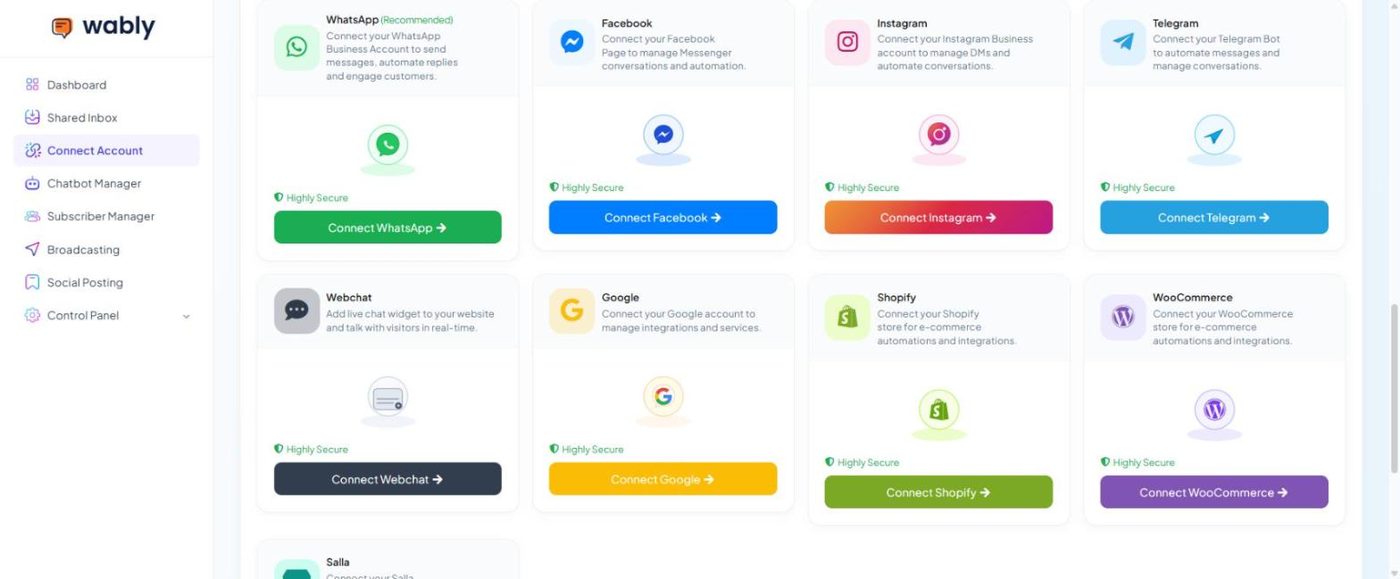
Connect Account → Available Connections -
On the WhatsApp Integration page, click Connect with Embed Onboarding on the Embedded Onboarding (One Click) card.
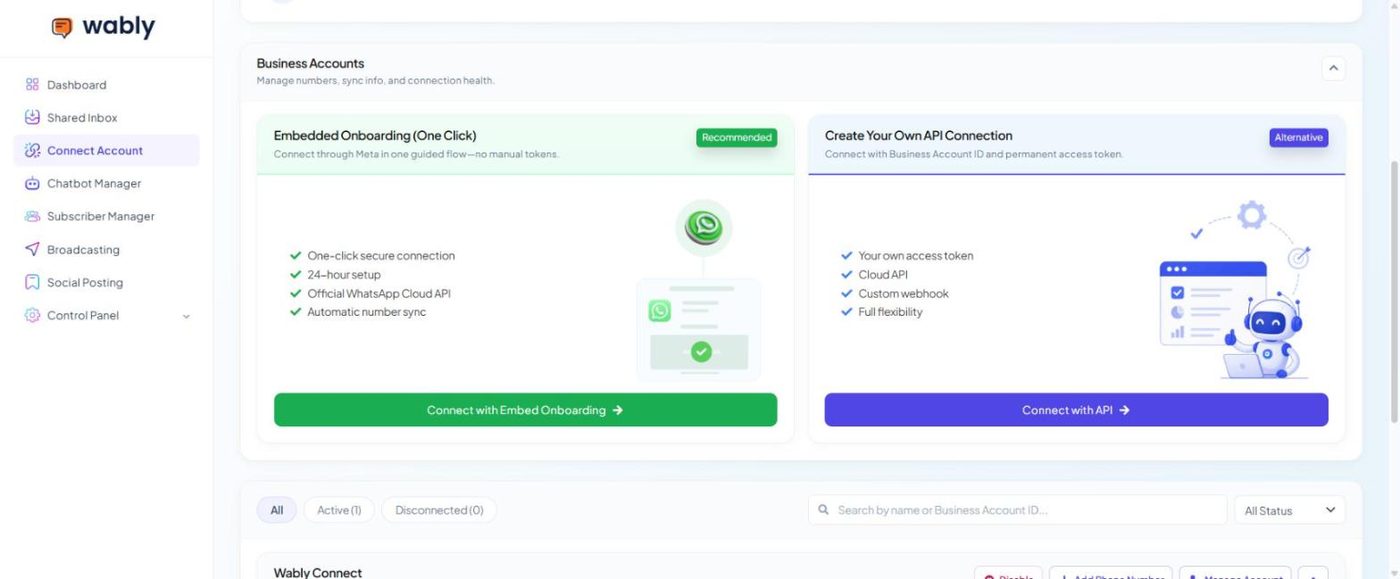
WhatsApp Integration — Embedded Onboarding (recommended) or your own API connection -
A Meta window opens. Log in with Facebook and click Get started.
- Select or create a Business Portfolio. Choose your existing one if you have it; otherwise enter your business name, email and website.
- Create or select a WhatsApp Business Account, then fill in the display name, category and short description customers will see.
- Add your phone number and choose SMS or voice call. Enter the 6-digit OTP.
- Review the permissions and click Confirm. The pop-up closes and your number appears under Business Accounts → Phone Numbers with its status, quality rating and messaging limit.
- Send a "Hi" from another phone to your business number. It should appear in the Shared Inbox within seconds.
Troubleshooting#
| Problem | What to do |
|---|---|
| Pop-up closes instantly or is blank | Allow pop-ups for app.wably.in, disable ad blockers, try an incognito window |
| "This number is already registered" | Delete it from the personal WhatsApp app, or disconnect the other provider |
| OTP never arrives | Switch to voice call; wait 10 minutes between attempts; check the country code |
| Number shows connected but messages don't arrive | Open Connect Account, click Sync on the number, then email us a screenshot if it still fails |
Use the business owner's Facebook login and add your team as admins to the Business Portfolio afterwards. If the only admin is an employee who leaves, recovering access is painful.