

Automation
Follow-Up Sequences
Send automatic, timed messages over hours or days from Automation → Follow-up Sequences — nurture new leads, remind about appointments and win back quiet customers.
A sequence is a series of messages sent automatically on a schedule after a contact is added to it. Set it up once and every new lead gets the same careful follow-up.
Typical uses#
- New lead nurture: Day 0 thank-you → Day 1 case study → Day 3 offer → Day 7 "still interested?"
- Appointment reminders: 1 day before, 2 hours before
- Post-purchase: delivery tips → review request → re-order reminder
Build a sequence#
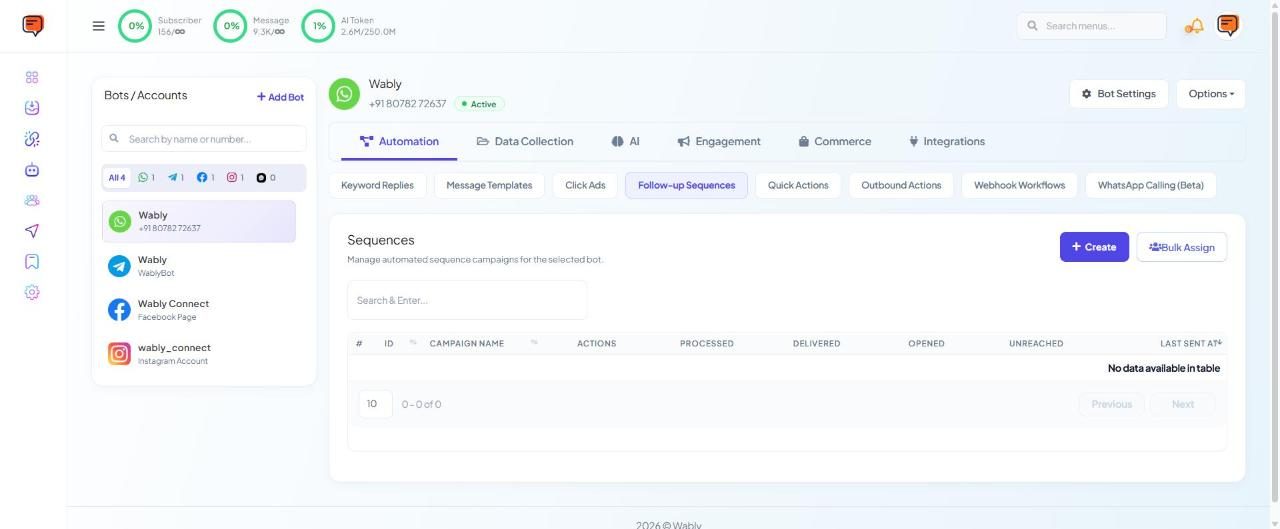
- Open Chatbot Manager → your number → Automation → Follow-up Sequences and click Create. (You can also start one from Broadcasting → Sequence.)
- Add steps. For each, choose the delay after the previous step and the message.
- Choose the message type for each step:
- inside the 24-hour window → a normal message is fine;
- after 24 hours → it must be an approved template.
- Set a sending time window (e.g. 9 AM – 8 PM) so nobody gets a message at midnight.
- Save and enable.
The list shows each campaign's processed, delivered, opened and unreached counts.
Adding contacts to a sequence#
- Bulk Assign on the Follow-up Sequences page
- Subscriber Manager → Bulk Actions → Assign Sequence
- A New Sequence Campaign block, or Subscribe to Sequence on a button, in a keyword flow
- From the subscriber's profile (Sequences tab), the API or a webhook workflow
Important
Most steps after Day 1 are outside the free window, so they're paid templates. Keep sequences short and relevant — see WhatsApp pricing.
Need help? Email support@wably.in with a screenshot and your WhatsApp number — we're happy to help.